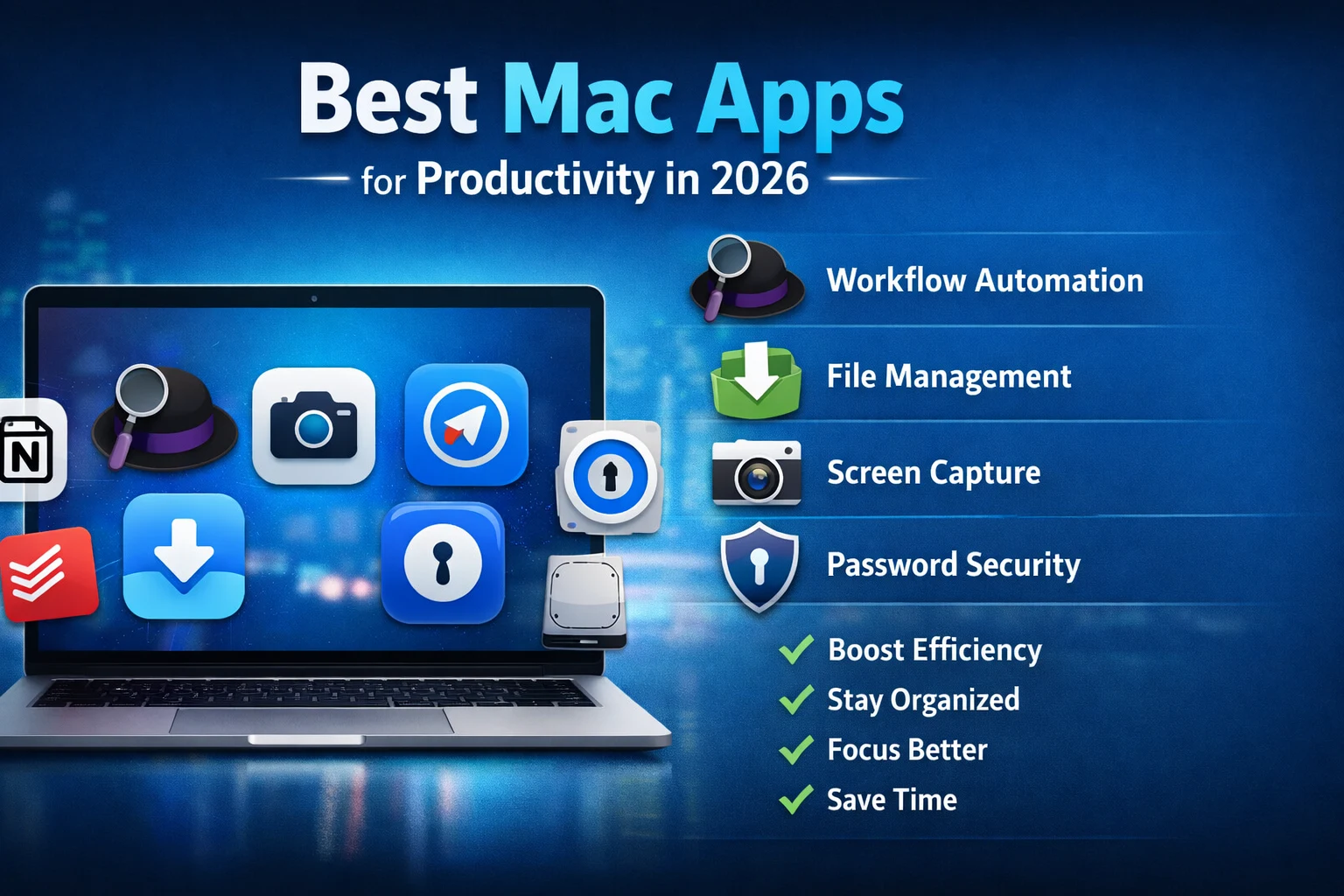
Want to get more done in less time on your MacBook? You’re not alone. In 2026, Mac users have access to some truly powerful productivity apps that can help you work faster, stay organized, and reduce distractions—without changing your entire routine i will provide you Best Mac Apps for Productivity in 2026.
Table of Contents
Whether you’re a student managing assignments, a professional handling meetings, or a creator working with files daily, the right apps can save hours every week. In this guide, I’m sharing the 12 best Mac apps for productivity in 2026, with prices, best features, and ideal use-cases.
In 2026 Best AI Tools in 2026 has become a daily productivity partner for students, creators, freelancers, and businesses.
Quick Comparison Table: Best Productivity Apps for Mac (2026)
| App Name | Category | Best For | Standout Feature | Pricing |
|---|---|---|---|---|
| Alfred | Workflow Automation | Speed + shortcuts | Clipboard history + workflows | Free, Powerpack £34 (one-time) |
| Raycast | Productivity Launcher | Fast command actions | Extensions + AI tools | Free, Pro (paid) |
| Dropzone 4 | File Management | Drag & drop sharing | Drop Bar actions | Free trial, Pro $35 lifetime |
| CleanShot X | Screenshots & Recording | Content + work screenshots | Scrolling screenshot + OCR | $29 one-time |
| 1Password | Password Manager | Account security | Watchtower + Travel Mode | From $2.99/month |
Note: Pricing may vary by country and store (App Store vs website).
List of 5 Best Mac Apps for Productivity in 2026
1) Alfred (Best for Automation & Faster Search)
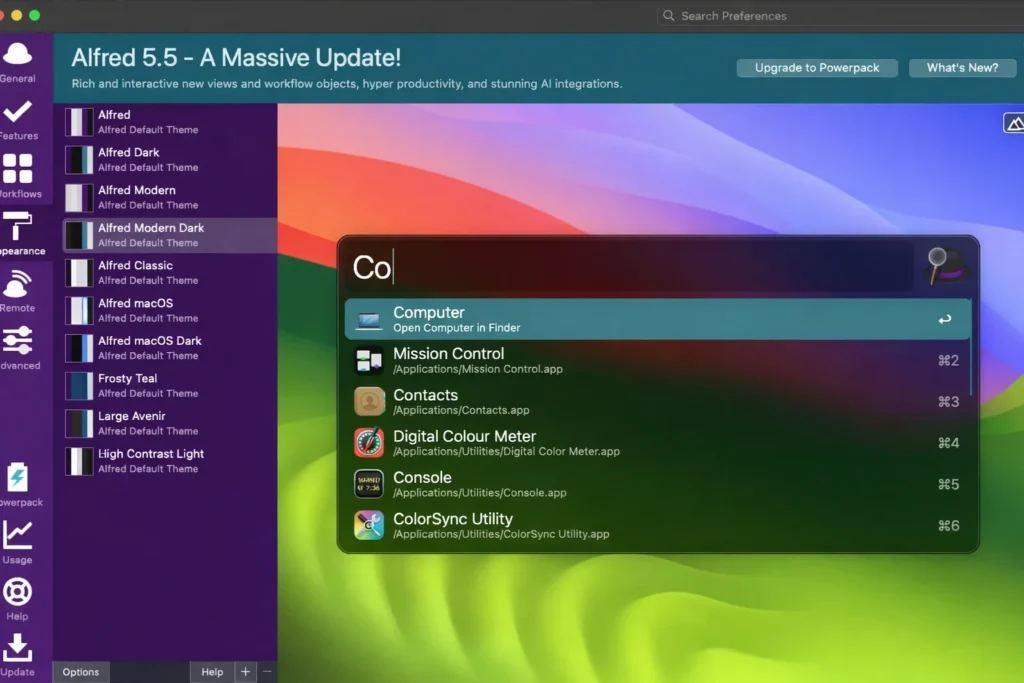
If Spotlight feels slow or limited, Alfred is one of the best upgrades you can install. It helps you launch apps, search files, and automate repetitive tasks using keywords and shortcuts.
Best features
- Clipboard history (copy multiple items)
- Snippets (type short keywords to expand text)
- Workflows (automate tasks like timers, file actions, browser actions)
Pricing
- Free plan available
- Powerpack starts from £34 (one-time)
Best for
Students, bloggers, professionals who want speed + automation.
2) Raycast (Best Alfred Alternative for Modern Power Users)
Raycast is like a productivity control panel. It’s extremely fast, looks modern, and supports extensions to do almost anything.
Best features
- App launcher + file search
- Extensions for tools like calendar, GitHub, notes
- Clipboard manager
- Optional AI features (depending on plan)
Pricing
- Free plan available
- Paid plan available (Pro)
Best for
Developers, entrepreneurs, heavy Mac users.
3) Dropzone 4 (Best for Drag & Drop File Sharing)
If your work involves sending images, uploading files, or saving media daily, Dropzone is a time-saver.
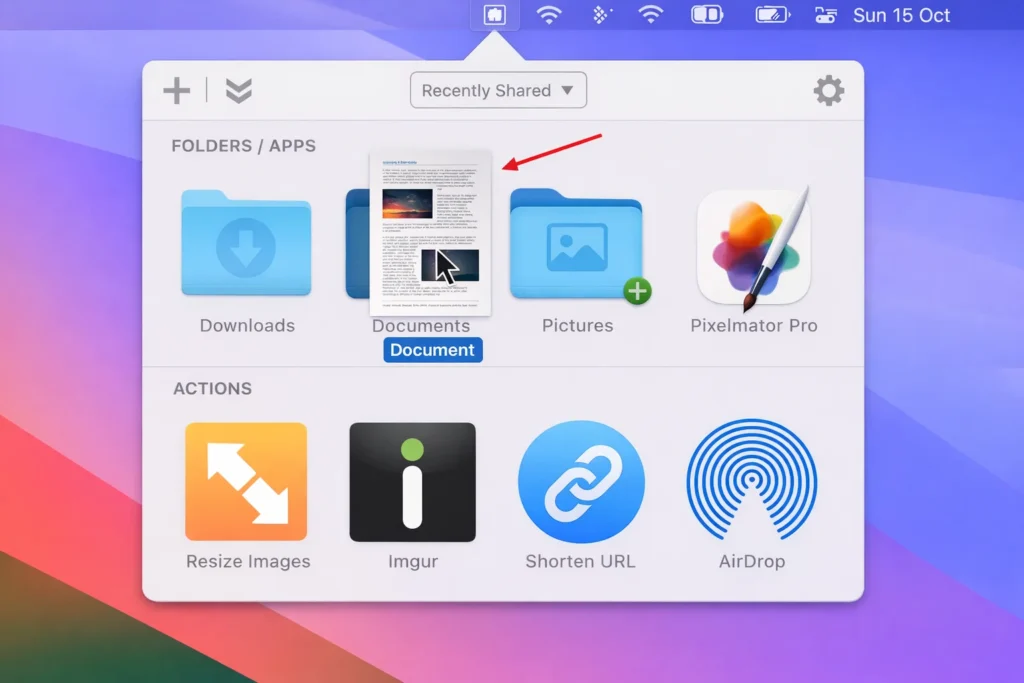
It installs in the menu bar and gives you a Drop Bar where you can drag files and instantly take actions like:
- Move to a folder
- Upload to cloud
- Share via AirDrop
- Create share links
Pricing
- Free trial included
- Pro Lifetime: $35
Best for
Bloggers, researchers, customer support, designers.
4) CleanShot X (Best Screenshot Tool for Work)
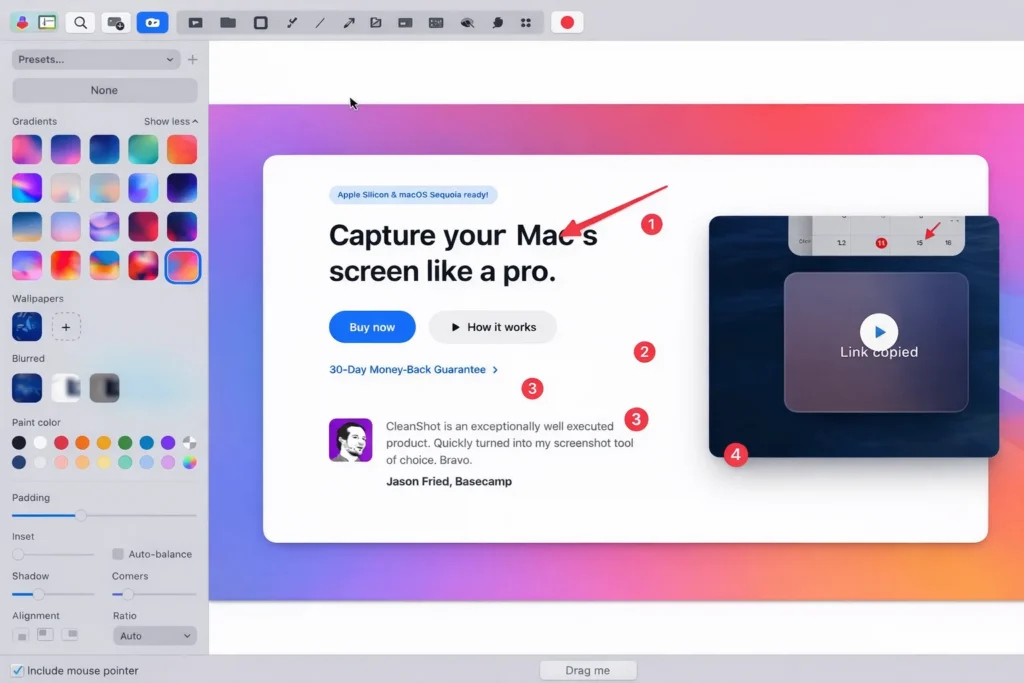
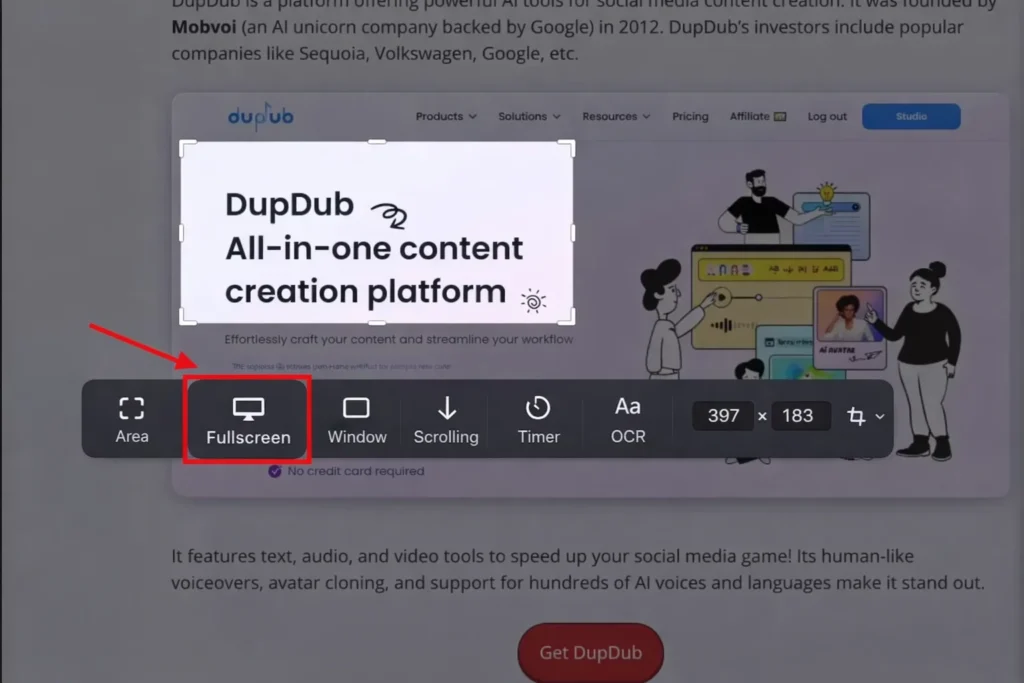
macOS screenshot tools are okay, but CleanShot X is built for serious users. If you take screenshots for tutorials, office work, client communication, or content creation—this is a top pick.
Best features
- Scrolling screenshot
- Annotations (arrows, blur, highlights, numbering)
- OCR text extraction from images
- Screen recording + quick edit tools
Pricing
- $29 one-time payment (includes 1 year updates)
Best for
Creators, office professionals, developers, educators.
5) 1Password (Best for Password Security)
If you have multiple accounts (Google, banking, social media, tools), 1Password helps you store and auto-fill passwords safely.
Best features
- Autofill + password generator
- Password change history
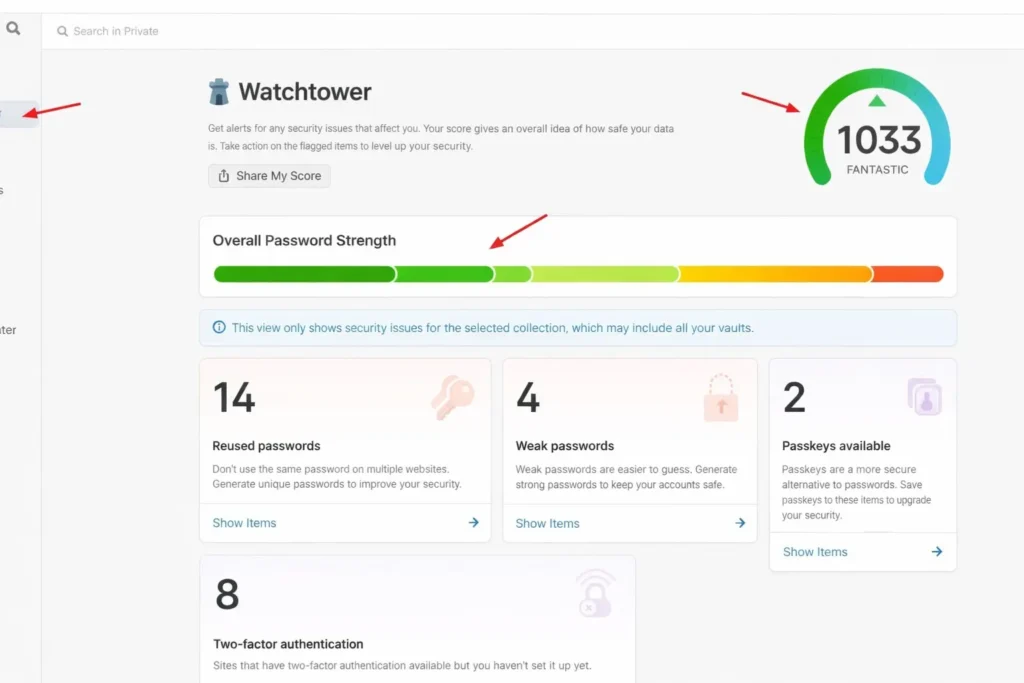
- Watchtower security alerts
- Travel Mode (hide vaults while traveling)
Pricing
- No free plan
- Paid plans start at $2.99/month
Best for
Everyone who wants secure accounts on Mac + iPhone.
My Recommended Setup (Simple & Effective)
If you don’t want to install all 12 apps, here’s a perfect combo:
Best “Minimal Productivity Stack”
- Alfred (automation + search)
- CleanShot X (screenshots)
- 1Password (security)
FAQs: Best Mac Productivity Apps (2026)
Q1. Which app is best for Mac productivity overall?
If you want one app that improves daily speed, Alfred is the best overall. If you prefer a newer interface, choose Raycast.
Q2. Is CleanShot X worth paying for?
Yes, especially if you take screenshots daily for work or content. The scrolling screenshot + OCR + clean annotations make it far better than default tools.
Q3. What is the best free productivity app for Mac?
Some of the best free tools include:
- Alfred (Free plan)
- Raycast (Free plan)
- Mounty for NTFS
- Notion (Free plan)
Q4. Which is better: Todoist or Things 3?
- Choose Things 3 if you want a clean, premium and distraction-free task manager.
- Choose Todoist if you want filters, labels, and cross-platform task power.
Q5. What’s the safest password manager for Mac?
1Password is one of the most trusted premium password managers and works very smoothly in the Apple ecosystem.
Conclusion
So these were the 5 Best Mac Apps for Productivity in 2026. If you want to work faster, stay organized, and reduce distractions, these apps can genuinely improve your daily workflow.
If you want my honest top 3:
- Alfred
- CleanShot X
- 1Password