Struggling to create Best AI Tools for Design in 2026, professional designs that actually stand out? You’re not alone. In 2026, design trends move fast, and people expect high-quality visuals everywhere—Instagram, YouTube thumbnails, websites, ads, posters, product packaging, and more.
Table of Contents
The good news? AI design tools have made it possible for anyone (even complete beginners) to create stunning, scroll-stopping designs in minutes. These tools can generate layouts, suggest fonts, build color palettes, remove backgrounds, edit photos, and even create UI prototypes from prompts.
In this article, I’ll share the 5 best AI tools for design in 2026, based on real usefulness, features, ease of use, and value for money.
What Are AI Design Tools?
AI design tools are platforms that use artificial intelligence to create, enhance, or automate design work.
Instead of starting from scratch, you can simply type a prompt like:
“Create a modern Instagram post for a fitness brand with bold typography and neon colors”
And the tool generates designs instantly.
What AI design tools can do
- Create posters, banners, thumbnails, flyers, and ads
- Generate social media content quickly
- Suggest color palettes and typography
- Remove background and unwanted objects
- Resize designs for different platforms
- Generate AI images, icons, stickers, and illustrations
- Build UI mockups, wireframes, and prototypes
Quick Comparison Table
| Tool Name | Best For | Key AI Features | Pricing (Starting) |
|---|---|---|---|
| Canva | Beginners, creators, freelancers | Prompt-to-design, Magic Studio, brand kit | ₹500/mo/user |
| Adobe Express | Content creation with Adobe quality | Firefly AI, templates, generative design tools | ₹399/mo |
| Microsoft Designer | Non-designers, hobby projects | Create-with-AI layouts, image generation, editing | ₹689/mo |
| Figma Make | UI/UX designers | AI prototype generation, UI layouts, collaboration | $16/mo |
| Uizard | Rapid app/UI prototyping | Prompt-based UI screens, interactive prototypes | $12/mo |
List of Best AI Tools for Design (2026)
1) Canva (Best Overall AI Design Tool)
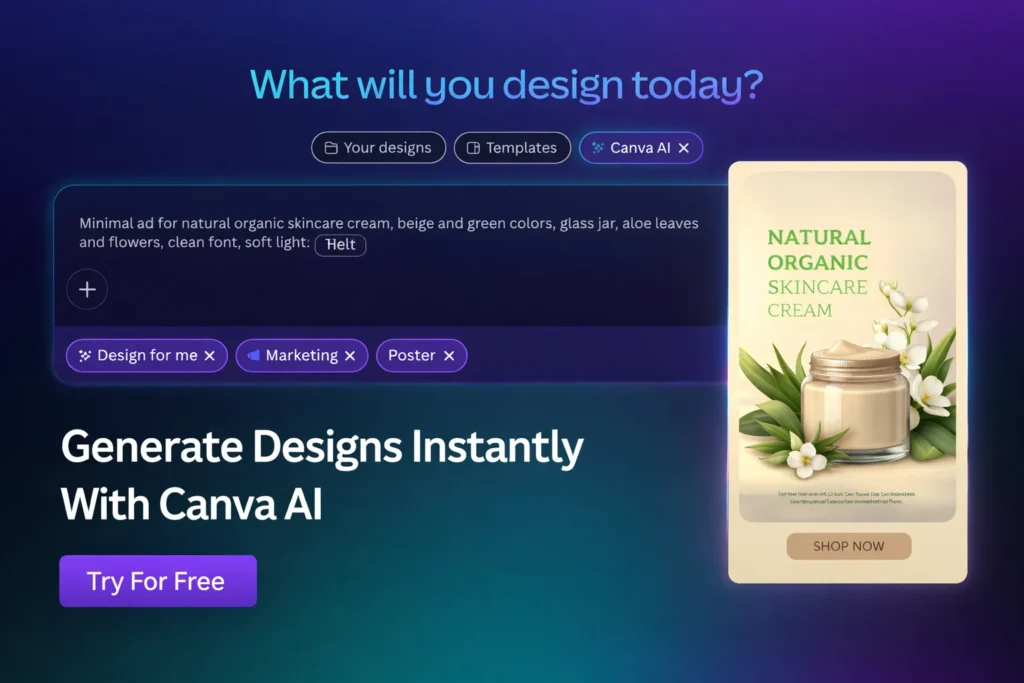
Canva remains the most popular design tool because it is simple, powerful, and packed with AI features. Whether you need Instagram posts, YouTube thumbnails, posters, resumes, presentations, or marketing creatives—Canva can do it fast.
Why Canva is great in 2026
- Easy drag-and-drop interface
- Thousands of ready templates
- Best AI features for everyday design work
Best Canva AI Features
- Design for Me (generates designs from prompts)
- Magic Edit (replace objects inside images)
- Background Remover
- Magic Expand (extend image size naturally)
- Magic Morph (creative text and shape effects)
Best for: Beginners, bloggers, creators, small businesses
Pricing: Free plan available, Pro starts at ₹500/month/user
2) Adobe Express (Best for Premium Quality Templates)
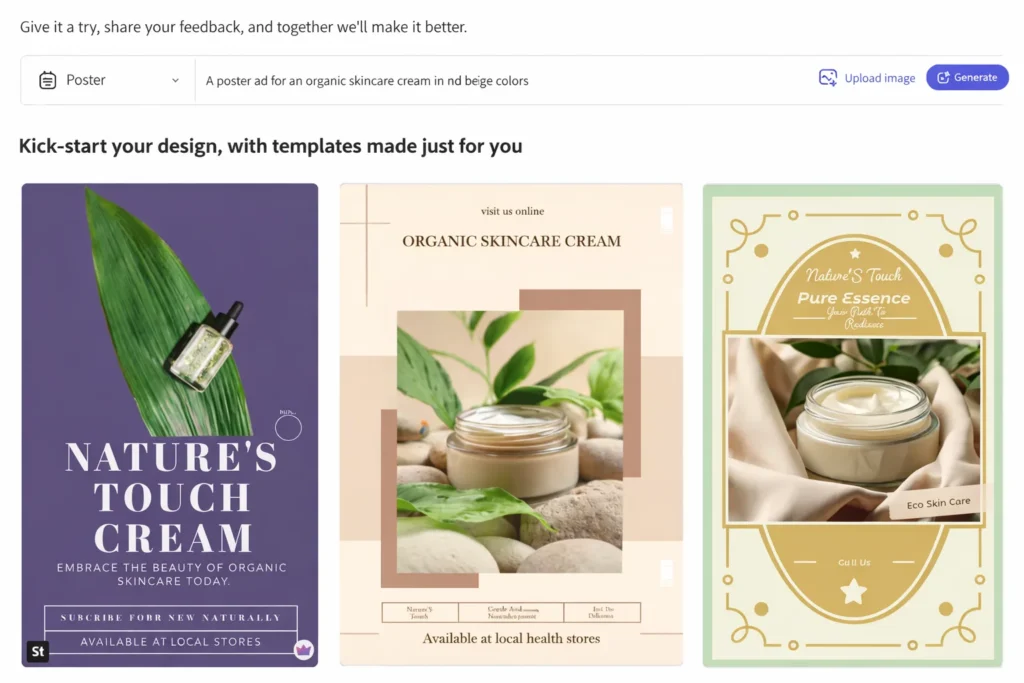
If Canva is the easiest tool, Adobe Express is the most “premium-looking” AI design platform. It is powered by Adobe Firefly, which produces high-quality results, especially for marketing and social media.
What makes Adobe Express special?
- High-quality creative output
- Perfect for professional social media creatives
- Works great with Adobe ecosystem
Top AI Features
- Generate Template (prompt-based layouts)
- Text effects
- Generative AI images
- Background removal + object removal
- Create similar designs in same style
Best for: Content creators, marketers, business owners
Pricing: Free gives limited generations, paid starts ₹399/month
3) Microsoft Designer (Best AI Tool for Quick Graphics)
Microsoft Designer is ideal for people who want Canva-like results but with Microsoft AI. It helps create social media posts, banners, wallpapers, invitation cards, and promo designs quickly.

Strengths of Microsoft Designer
- Very beginner-friendly
- Fast suggestions
- AI-first creative workflow
AI Features You’ll Like
- “Create with AI” templates
- Text-to-image generation
- Smart layout suggestions
- Canva-like editor for customization
⚠️ Sometimes prompt accuracy isn’t perfect, so you may need a few tries.
Best for: Non-designers, hobby creators, small project work
Pricing: Free monthly credits, paid starts at ₹689/month
4) Figma Make (Best for UI/UX Designers)
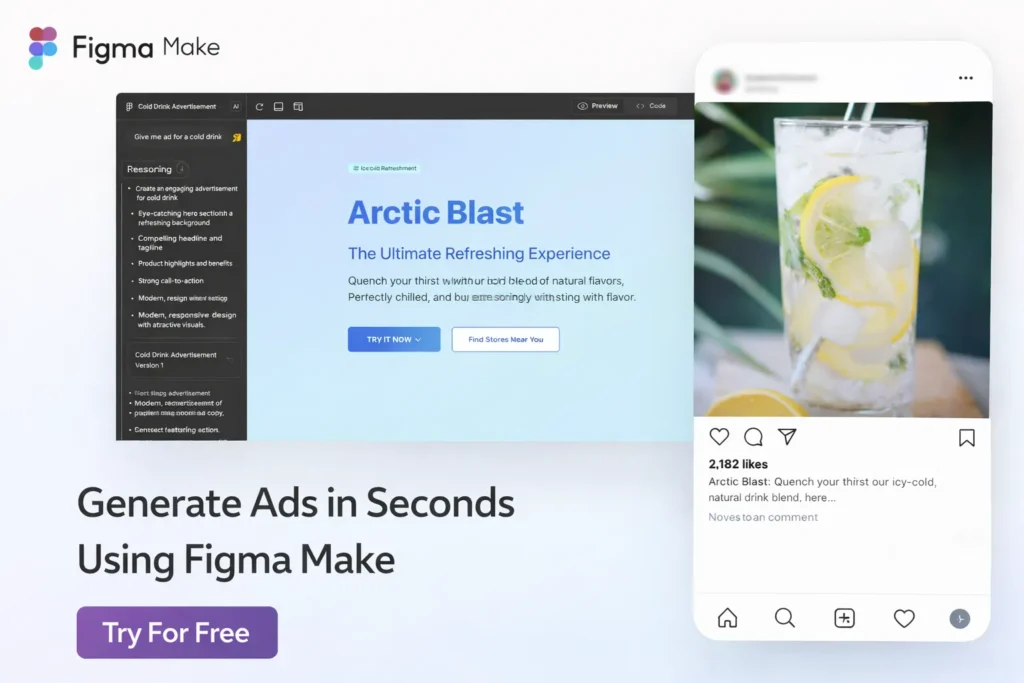
If your focus is UI design or product design, Figma Make is one of the best tools in 2026. It can generate layouts and prototypes based on natural language prompts.
Why professionals love it
- Generates prototype-ready layouts
- Perfect for web/app UI workflows
- Easy collaboration for teams
Key AI Features
- Prompt-to-UI prototype generation
- Rapid layout building
- Converts designs (example: webpage → Instagram post)
- Templates + real-time collaboration
Best for: UI/UX designers, startups, product teams
Pricing: Paid plans start at $16/month
5) Uizard (Best for Instant App Prototype Layouts)
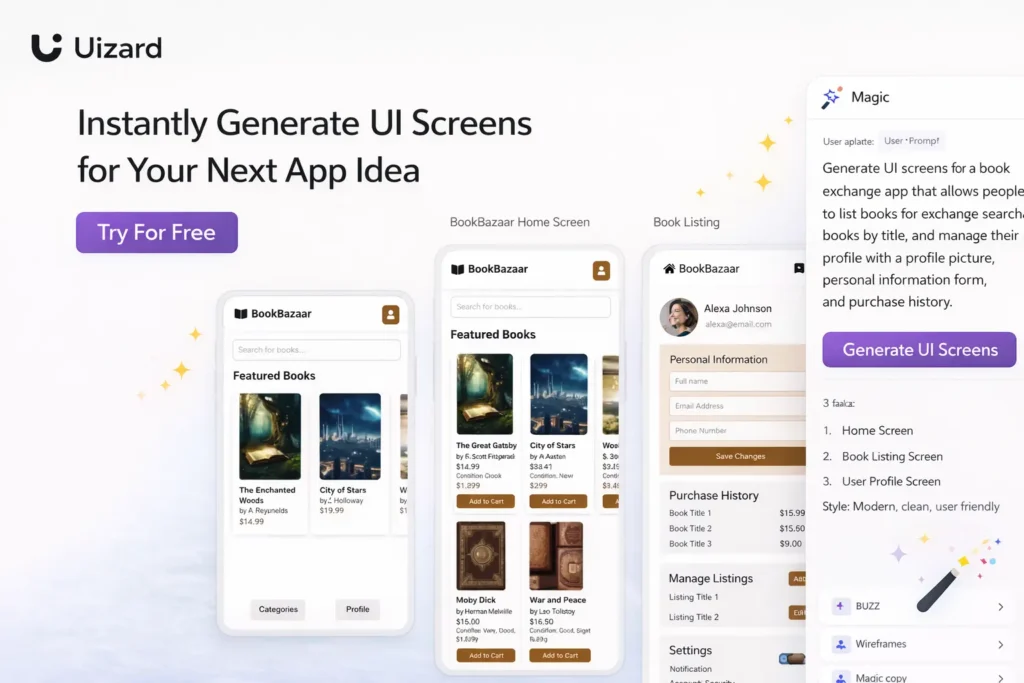
Uizard is designed for fast UI creation. You give it an idea like “book exchange app with rustic theme,” and it generates full UI screens with layout, styling, and editable components.
Best Uizard features
- Fast prompt-to-layout
- Interactive clickable prototypes
- Great for product demos and idea validation
AI Tools Included
- AI screen generation
- UI component editing
- Image suggestions
- Drag-and-drop builder
Best for: Web developers, startup founders, UI enthusiasts
Pricing: Free limited generations, paid starts at $12/month
Which AI Design Tool Should You Choose?
Here’s a simple guide:
If you’re a beginner
- Canva
- Microsoft Designer
If you want premium marketing designs
- Adobe Express
- Canva Pro
If you build websites or apps
- Figma Make
- Uizard
Final Thoughts: AI Design Is the New Superpower
In 2026, Best AI Tools for Design in 2026 is no longer limited to professionals. With the right AI tool, anyone can create stunning designs, social media creatives, and even UI prototypes—without needing advanced skills.
Video hosting is also uploading and storing your videos on a third-party Video Hosting Platform so that viewers can watch them online smoothly.