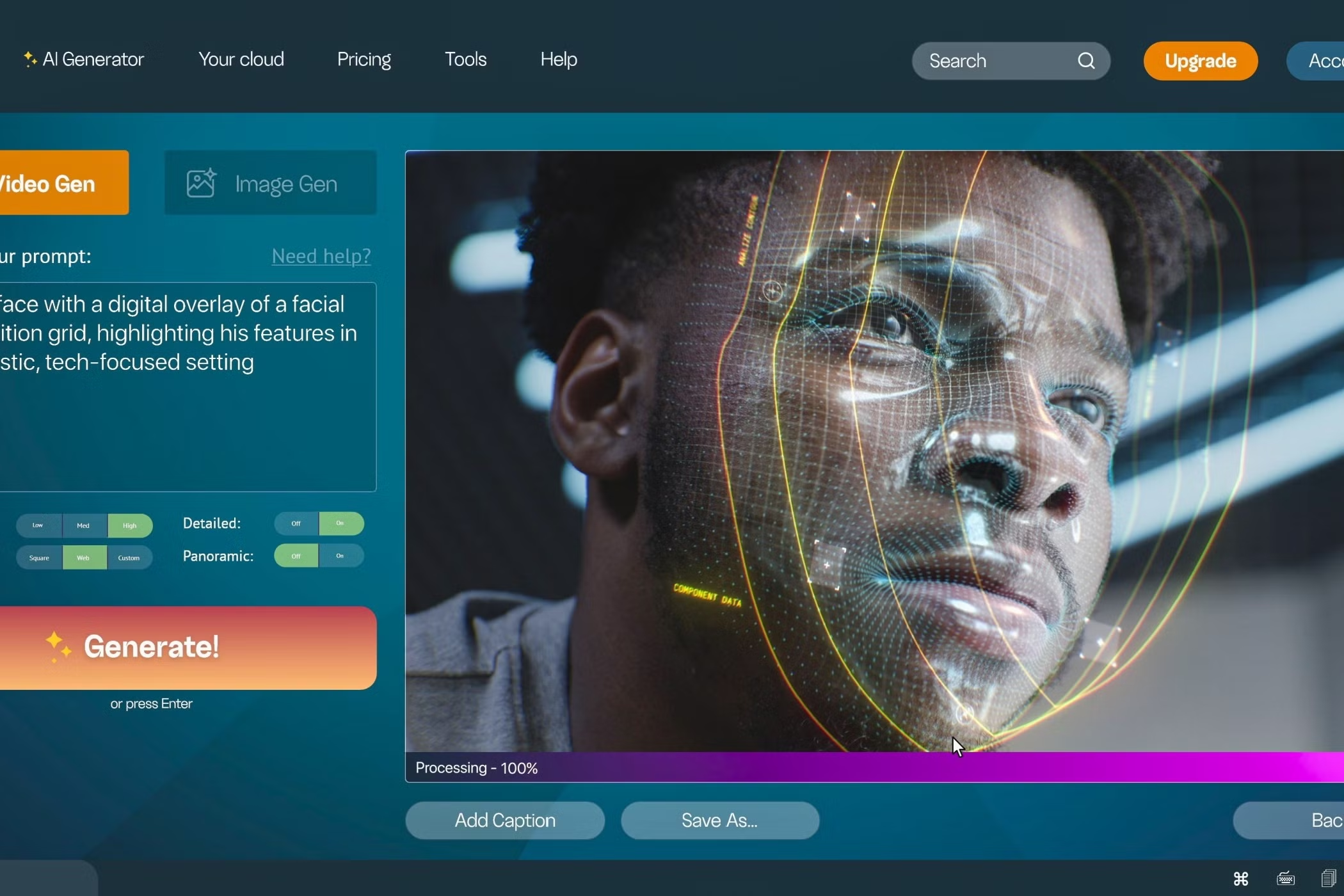
An AI video generator is software that uses artificial intelligence to create videos with very little manual effort. Instead of recording footage, hiring actors, or spending hours on editing, you can simply give the tool a text prompt, an image, or basic instructions. The AI then turns that input into a complete video with visuals, voiceovers, subtitles, animations, and transitions.
These tools are useful for almost everyone involved in content creation. Beginners can create videos without learning complex editing software, while professionals can save time and scale their output. Social media managers, marketers, small business owners, educators, influencers, and even students now rely on AI video generators to communicate ideas quickly and clearly.
Best AI Video Generators : What Are AI Video Generators Used For?
AI video generators are mainly used to convert ideas into videos at speed. A blog post can become a short explainer video, a product description can turn into a demo, and a simple image can be animated into a story. Many creators use these tools for YouTube videos, Instagram reels, ads, online courses, internal training, and presentations.
At present, most tools fall into three categories. Text-to-video generators create videos directly from written prompts. Image-to-video generators animate still images into moving visuals. AI video editors focus on improving or restyling existing videos. In this article, the main focus is on text-to-video and image-to-video tools because they are the most widely used in 2025.
How Does an AI Video Generator Work?
Behind the scenes, an AI video generator is trained on massive datasets that include videos, images, voice samples, and text. The system learns how visuals, language, motion, and sound work together. When you enter a prompt, the AI predicts the most relevant scenes, chooses suitable visuals, adds voiceovers, syncs lips in avatar videos, and applies transitions.
Some tools also allow editing after generation. You can change scenes, replace visuals, adjust tone, or regenerate specific parts. This makes AI video generation feel more like a creative collaboration rather than a one-click process.
15 Best AI Video Generators in 2025
Below is a detailed look at some of the most popular AI video generators in 2025, explained in a simple and practical way.
- Synthesia
Synthesia is one of the most trusted text-to-video platforms, used by thousands of companies worldwide. It is known for its realistic AI avatars and smooth lip-syncing. You start by choosing the type of video, the topic, and the audience. Synthesia then generates a scene-by-scene script with avatars, voice, and subtitles.
It supports more than 140 avatars and over 120 languages, which makes it suitable for global teams. The editor allows easy changes, so even non-technical users can create polished videos. Synthesia works well for product demos, employee training, sales videos, and educational content. The free plan includes limited minutes per year, while paid plans start at $18 per month.
- Hour One
Hour One focuses on quick and professional text-to-video creation. Its GPT-powered Video Wizard helps generate short scripts automatically. After that, you select an AI avatar and voice or upload your own narration. The final output looks clean and professional, with realistic avatars and accurate lip sync.
The platform is suitable for social media updates, news-style videos, internal communication, and ads. The free trial offers a few minutes of video credits, and paid plans start from $25 per month.
- InVideo
InVideo is popular among bloggers, marketers, and YouTubers. It converts text prompts into complete videos within seconds. You can choose workflows like shorts, explainers, or event-based videos. After confirming style and audience, the AI generates visuals, voice, and scenes very quickly.
The videos feel engaging and relevant, especially for social media. While editing accuracy can vary, it still remains a strong choice for fast content creation. The free plan includes limited exports, and paid plans begin at $15 per month.
- Runway
Runway is widely used by creatives who want experimental and artistic videos. It supports text-to-video, image-to-video, and combined inputs. You can control motion intensity and camera movement, which adds flexibility.
The quality is decent, though results may sometimes feel abstract. Runway suits artists, designers, and creators who enjoy experimenting. The free plan offers limited credits, while paid plans start at $12 per month.
- Fliki
Fliki is designed for quick explainer and educational videos. You can start with an idea, script, blog, or presentation. The AI generates multiple scenes with voice and visuals in seconds. It also supports AI-generated images in different styles.
The tool feels fast and beginner-friendly. Free users get limited minutes, and paid plans begin at $21 per month. Fliki works well for teachers, course creators, and simple explainers.
- Vyond
Vyond focuses on animated videos rather than realistic avatars. You enter text or let the AI suggest a script, choose a layout, and pick a template. The animations, voice, and timing are well-matched.
It also offers a character creator where you can design custom animated characters. Vyond is often used for kids’ education, internal training, and storytelling. The free trial is limited, and paid plans start from $25 per month.
- Lumen5
Lumen5 is ideal for turning blogs and articles into short videos. You can paste a URL or text, and the AI generates slides with visuals and captions. It also allows manual edits, music, and voiceovers.
This tool is useful for bloggers and social media marketers who want to repurpose written content. The free plan includes watermarked videos, and paid plans start at $19 per month.
- HeyGen
HeyGen offers avatar videos, voice generation, and translation features. You can upload a photo, add a script, and generate a talking avatar video with accurate lip sync. It supports hundreds of voices and languages.
The platform is useful for personal branding, short bios, and social content. The free plan allows limited videos, while paid plans start from $24 per month.
- Veed.io
Veed.io combines AI video generation with editing features. You can create videos from text, add subtitles automatically, and export in different formats. The visuals are clean, and captions are well-styled.
It is suitable for creators who want quick edits without complex software. The free plan has limits, and paid plans begin at $12 per month.
- Genmo AI
Genmo AI focuses on short, creative animations from text or images. It layers AI-generated images to create time-lapse-style effects. These videos are usually short but visually interesting.
Genmo works well for designers, artists, and experimental content. The free plan offers daily credits with watermarks, and paid plans start at $10 per month.
Final Thoughts on AI Video Generators in 2025
AI video generators have changed how videos are created. They save time, reduce costs, and make video creation accessible to everyone. Whether you looking for Web Hosting Services for creating educational content, social media videos, product demos, or simple explainers, there is an AI video generator that fits your needs.
As these tools continue to improve, the focus is shifting from technical skills to creative ideas. If you can describe your idea clearly, an AI video generator can help turn it into a video that looks professional and engaging.